
Taiwan From Above
(and Lightroom Masking)
The Weekly Frame #22: April 9th, 2026

Hi friends,
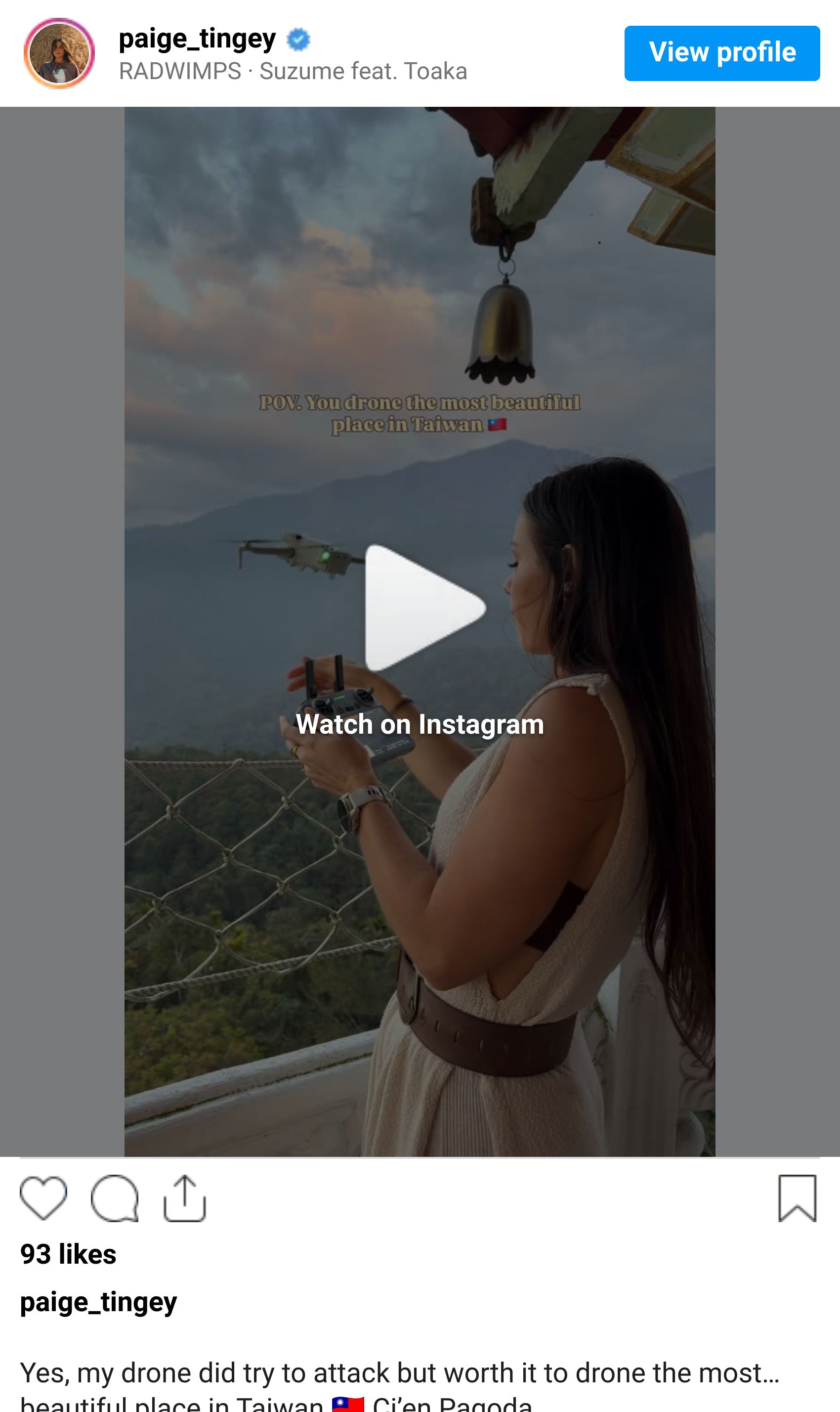
I posted a new Taiwan reel this morning that I've been sitting on for a couple weeks. It's a drone shot of the Ci’en Pagoda at Sun Moon Lake at sunset, and it's one of those places where the location was so cool it was hard to mess up.
Sunset light shining through the haze above the water, the sky turning warm, the mountains stacked behind it. I just had to put up my drone and fly. (My drone did seem to try to attack me though for a second there …)
I also went back into my wild flowers catalog this week for a separate post (I’ll show you below), and it reminded me how much of a finished image really lives in Lightroom.
So this week's tip is a slightly more technical one. I'm always getting questions about how I edit, and there's one panel I touch on basically every photo that I don't think gets talked about enough.
Tip of the Week: Stop Editing the Whole Photo at Once

If you're still doing most of your edits only using the global sliders at the top of the Lightroom panel, you’ll find that many adjustments look great on one part of the image while ruining the other parts. The fix is simple: Move more aspects into the masking panel.
When you adjust exposure globally, you're brightening the sky and the foreground and the subject all at the same time. Those three things almost never need the same treatment. The sky is usually too bright, the foreground is usually too dark, and the subject usually needs its own thing entirely. Pulling one global slider to fix one of them inevitably breaks the other two.
It used to take forever to manually select parts of the image, but Lightroom has automated masks built in to speed this up. Select Sky, Select Subject, and Select Background do exactly what they sound like, and they're accurate enough now that I trust them on almost every image.
My typical landscape masking looks like this:
A light global pass to set white balance and overall exposure.
A Sky mask to pull highlights down and add warmth or drama.
A Subject mask if there's a person or focal point that needs its own treatment.
A Background mask to lift shadows and add a touch of contrast to the foreground.
[Bonus] A Radial mask to warm up and exaggerate the light source (without blowing it out)
[Bonus] A Linear Gradient mask along the bottom to gently darken the area opposite the light.
Try this: Pick a landscape photo you've already edited and open it again. Reset the global exposure and shadow sliders, then build the same edit using only masks. This will help you learn which areas you can adjust globally and which ones belong in a specific mask.
What's Happening in Photography Right Now

Adobe expanded Generative Fill in Photoshop 2026. The newest update lets you guide Generative Fill with a reference image instead of just a text prompt, so the AI matches the style, color, and detail of something you actually point it to. For retouchers and product photographers it's a real workflow shift, and for the rest of us it's another sign that the line between "editing" and "generating" is going to keep blurring whether we like it or not.
DJI announced its first 360-degree drone. DJI is moving directly into the immersive video space that Insta360's Antigravity sub-brand has been carving out. Details on sensor size, flight time, and price are still thin, but the move signals that 360 capture is becoming a mainstream category rather than a novelty. For travel creators who've been on the fence about adding 360 footage to a workflow, the next year is probably going to make that decision for you.
DPReview is running an "Analog April" film challenge. Submissions open April 12 through 18, open to any film stock, any era, any subject, with minimal post-processing allowed. It's a low-stakes way to dust off a film body if you have one sitting in a closet, and the winning entries get featured on the DPReview homepage later in the month. A nice excuse to slow down for a week if everything else in your workflow has been digital.
Creator Highlight: Erin Sullivan & Her Miniature Worlds

Erin Sullivan is an American photographer, writer, and creative director whose work blends landscape photography with environmental storytelling. She's worked with Apple, REI, and Airbnb, and she has a particular gift for finding the quieter moments inside otherwise iconic locations.
What sets her apart is how willing she is to play with scale. Alongside her landscape work, she builds miniature worlds in both stills and motion… tiny figures placed inside everyday objects that become entire landscapes of their own. It's a reminder that you don't need to fly somewhere remote to make an interesting photograph. Sometimes the frame just needs a different idea.
If you're trying to grow as a photographer who thinks creatively about subject and scale, her feed is one of the better case studies on the platform.
Gear Worth Mentioning: A Faster Way to Edit in Lightroom

If you spend a lot of time editing in Lightroom, this is one of the more interesting tools out there right now.
The Loupedeck Live S is a small physical control surface that sits next to your keyboard and gives you dedicated dials, buttons, and a touch strip for the adjustments you make most often. Exposure, contrast, white balance, masks, tone curve points, brush size… anything you'd normally hunt for in a panel can be mapped to a knob you can grab without looking.
The reason it's worth considering isn't speed, although it is faster. It's that physical controls change how editing feels. Sliding a real dial to fine-tune highlights is more intuitive than dragging a slider with a mouse, and you stop second-guessing small adjustments because you can actually feel the change happening. It also works with Photoshop, Premiere, Final Cut, and Capture One, so it earns its desk space if you're working across multiple tools.
It's not an impulse buy, but for anyone editing several hours a week it's the kind of upgrade that quietly improves the entire workflow.
(Full transparency: I earn a small commission through this link. It helps keep this newsletter free and my coffee mug full. Thanks for supporting!)
One More Thing…

That's it for this week. Outside of editing, I'm starting to map out what spring shooting will look like at home.
Wildflower season in the Wasatch is coming up fast… I posted a couple shots this week from last summer up in the mountains, and looking through them got me genuinely excited for the next few months.
There's a window between mid-June and mid-July where the high meadows go off, and I'm already thinking about which trailheads I want to be on for first light.
This week's question: What's your editing weak spot? The thing you know you should be better at but haven't sat down to actually learn. For a lot of people it's masking. For others it's color grading or sharpening. I'm curious what's on your list, so hit reply and let me know!
See you next week,
Paige
P.S. Curious how I edit my photos? These are the exact presets I use for almost every travel & landscape shoot (designed for both mobile and desktop).